Azure Landing Zones - enabling application level cost tracking
Cost management follows the same principles as the rest of the platform — a “you build it, you run it” mindset, where each application team has full responsibility for its infrastructure and costs. Since there are no shared services, all supporting resources and expenses are allocated directly to the application.
By using Azure-native tools and isolating each environment within its own landing zone, the platform provides clear visibility into the actual cost of running each application in the cloud. It’s effortless to drill down into a specific environment or resource type to understand consumption patterns — all without relying on tags or additional cost-allocation logic.
Cost per Application
Each application has a dedicated Azure invoice section, which serves as its financial boundary. All landing zones required by the application are created under this same invoice section. This structure provides a complete view of the total cost of running the application — including application infrastructure and other supporting Azure services.
To ensure cost transparency, an Entra ID group is created for each application. This group is granted Reader access across all related landing-zones, along with Invoice Section Reader for cost insights. It provides visibility into the application’s resources, configuration, and spending without granting access to data or any sensitive information.
Budget Alerts
If you reach 100% of your budget, it’s already too late to react — costs are incurred, and recovery options are limited. To prevent that, budget alerts are triggered early, at 80% of the allocated budget, giving engineers and application owners enough time to take action before overruns occur. Two levels of alerts are configured to match different areas of responsibility:
- Landing Zone — Designed for landing zone engineers, these alerts provide early signals for specific environments, helping teams quickly identify unexpected cost spikes or misconfigurations.
- Invoice Section — Aimed at application owners, these alerts offer a consolidated view of total spend across all landing zones under the same invoice section, ensuring holistic cost awareness.
Invoice Section Creation
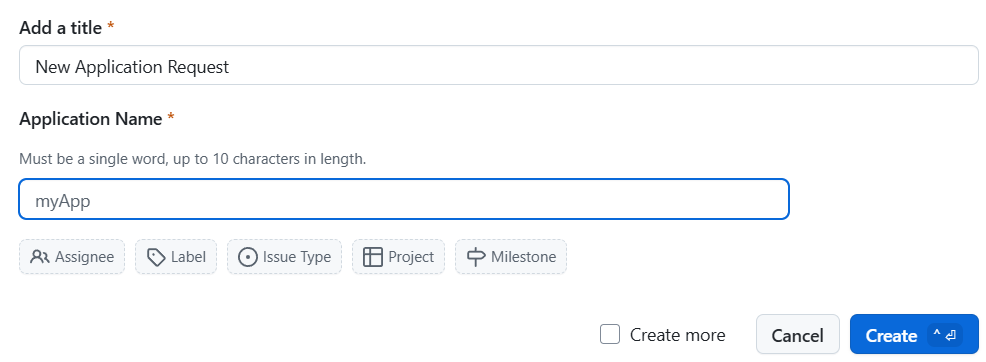 Azure invoice sections are created as part of the “Register New Cloud App” GitHub workflow. The invoice section ID is stored as a GitHub variable in the application repository, so
 create-landing-zone workflows can fetch the ID and create Azure subscriptions associated with the invoice section id.